
Appearance
SingularityNET Platform Onboarding Checkup
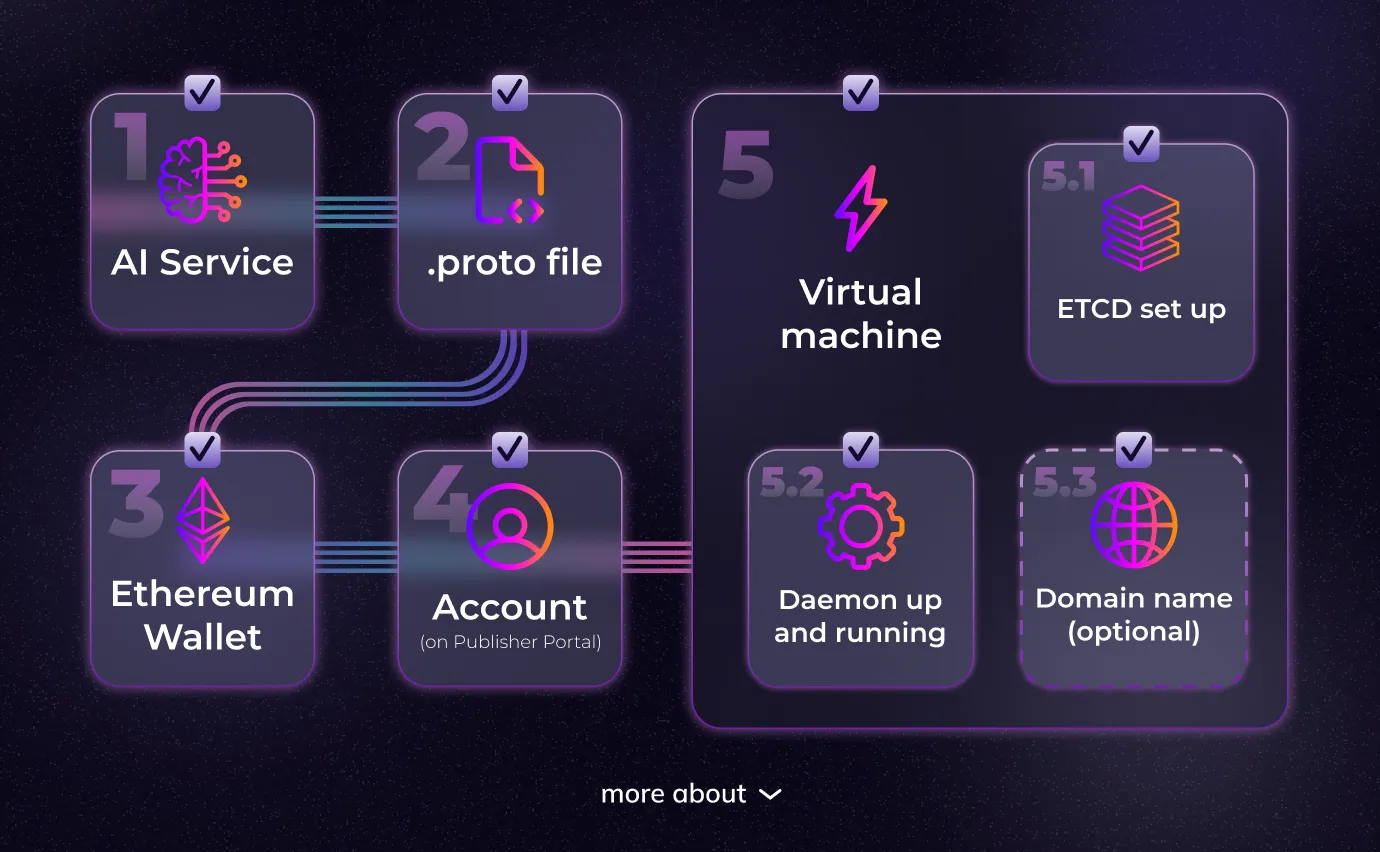
This document outlines the mandatory requirements for publishing your AI service on the Decentralized AI Platform and AI Marketplace.
Quick Start
The fastest method for onboarding is via the Publisher Portal. For a complete step-by-step guide, see the Full Onboarding Guide.
Prerequisites Checklist
1. AI Service
You must have a service capable of accepting requests, processing data, and returning responses.
2. Protocol Buffer Definition (.proto file)
Create a .proto file that describes service interfaces, request/response messages, and RPC method definitions. This enables communication between your service and the Daemon via gRPC protocol.
3. Ethereum Wallet
Required components:
- MetaMask wallet
- Approximately 0.01 ETH for transaction fees
- Used for publishing organization and service
4. Publisher Portal Account (Optional for CLI/TUI)
Register at: https://publisher.singularitynet.io/
5. Virtual Machine Requirements
Your hosting environment needs:
- Python version 3.10 or higher
- Open ports for daemon and ETCD communication
- Public IP address or domain name
6. Domain Name (Recommended)
If you prefer domain-based access:
- Purchase from any domain provider
- Add an A record pointing to your VPS IP address
- Wait for DNS propagation before generating SSL certificates
7. ETCD Setup
For payment channel management:
- Embedded ETCD (recommended): Runs automatically with daemon, no additional setup required
- Standalone ETCD: For production deployments, follow the ETCD Setup Guide
8. SSL Certificates
Generate SSL certificates after your domain is linked to your server:
sh
sudo apt install certbot
sudo certbot certonly --standalone -d your-domain.com
9. Daemon Installation
Deploy the latest Daemon version. It handles payment processing, request routing, and service availability.
Infrastructure Options
You have flexibility in your deployment architecture:
- Single Machine - ETCD, Daemon, and AI service on one server
- Distributed - Components on separate machines for scalability
- Cloud Native - Containerized deployment on cloud platforms
Testing Environment
Before mainnet deployment, test your service on Sepolia Testnet:
Testnet Resources
| Resource | URL |
|---|---|
| Testnet Publisher | testnet.publisher.singularitynet.io |
| Testnet Marketplace | testnet.marketplace.singularitynet.io |
| Faucet (Free Tokens) | faucet.singularitynet.io |
- Free test ETH and ASI available via faucet
- Identical workflow to mainnet
Publishing Workflow
Step 1: Registration
Create your account and connect your wallet:
- Publisher Portal: https://publisher.singularitynet.io/
- MetaMask wallet required
- Small ETH balance for gas fees
Step 2: Environment Setup
Configure your service infrastructure:
- Write proto interface definitions
- Install and configure ETCD
- Deploy and configure Daemon
- Verify connectivity
Step 3: Testing
Validate your setup on testnet:
- Complete workflow on Sepolia network
- Test service calls
- Verify payment processing
Step 4: Publishing
Deploy to mainnet:
- Collect all configuration data
- Complete publishing process on platform
- Verify service availability
Alternative Publishing Methods
Besides Publisher Portal, you can also use:
- CLI - Command-line interface for automation
- TUI - Terminal user interface for interactive setup
Choose the method that best fits your workflow and technical requirements.
Support Resources
Need help? We're here to assist:
- Email: onboarding-support@singularitynet.io
- Documentation: Browse our comprehensive guides
- Community: Join our developer discussions
Quick Links
| Environment | Publisher Portal | Marketplace |
|---|---|---|
| Mainnet | publisher.singularitynet.io | marketplace.singularitynet.io |
| Testnet | testnet.publisher.singularitynet.io | testnet.marketplace.singularitynet.io |
Ready to publish? Start with the Publisher Portal Guide!