
Appearance
Alchemy API Key Setup
The Alchemy API key enables applications to interact with blockchain networks such as Ethereum. Follow this guide to create your own API key on Alchemy.
Sign In or Sign Up
Visit https://www.alchemy.com and click Sign In in the top-right corner.
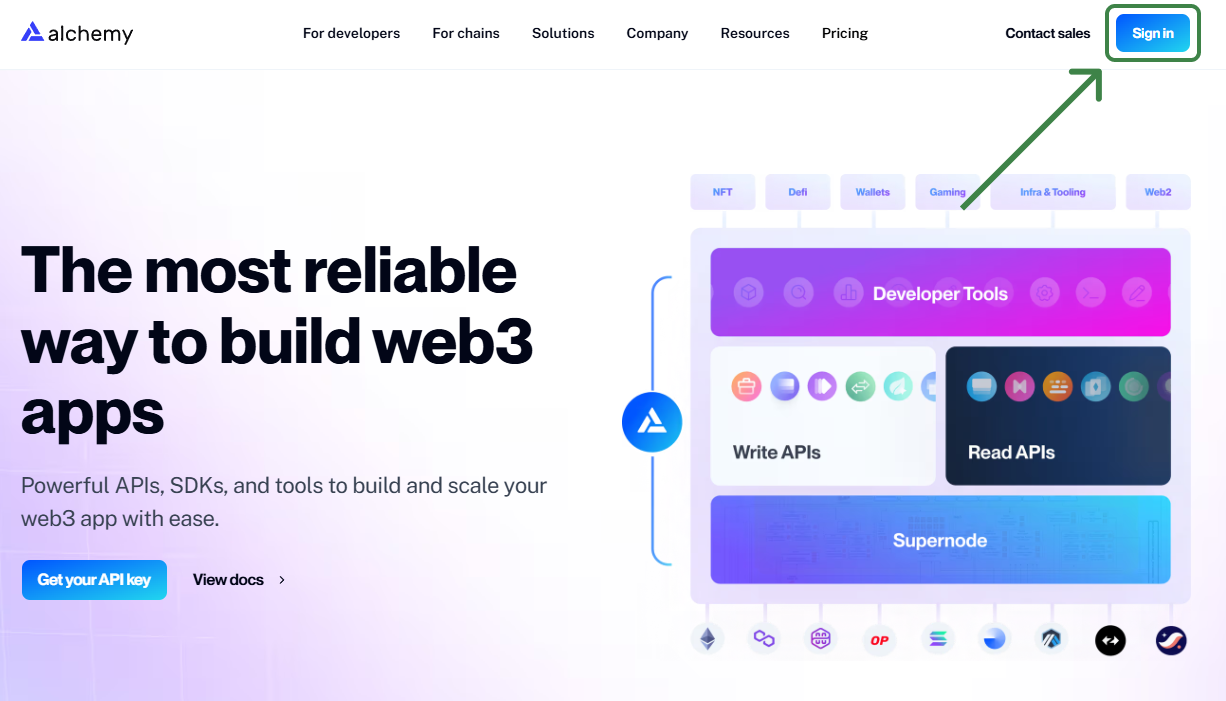
In the login window:
- To sign up via email, click
Sign Upat the bottom and fill in:First NameLast NameEmail AddressPassword
- Alternatively, sign up using
Googleby clickingSign Up with Google. - If your organization uses Single Sign-On, click
Sign Up with SSO.
You’ll be prompted to verify your phone number. Enter your number, receive an SMS, and input the verification code.
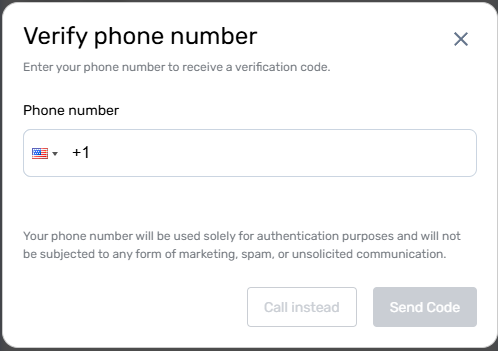
Note: Your phone number will only be used for authentication and will not receive marketing messages.
Create a New App
Open https://dashboard.alchemy.com and click Create New App.

Fill in the app details:
- Set an
App Nameto identify your application. - Optionally add a
Description. - Select
Infra & Toolingas theUse Case.
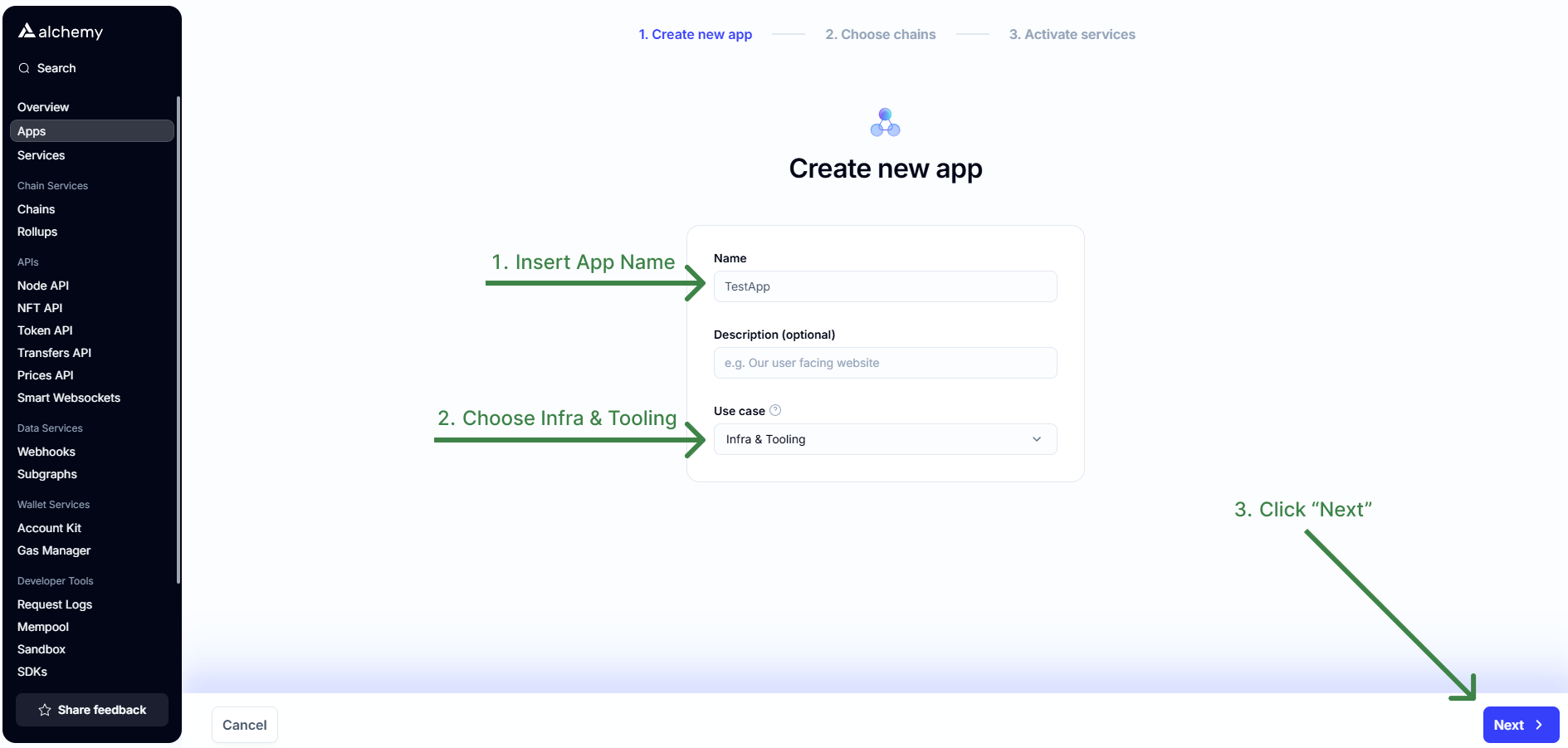
On the next screen, choose a blockchain network for your app:
- For Ethereum-based applications, select
Ethereum.
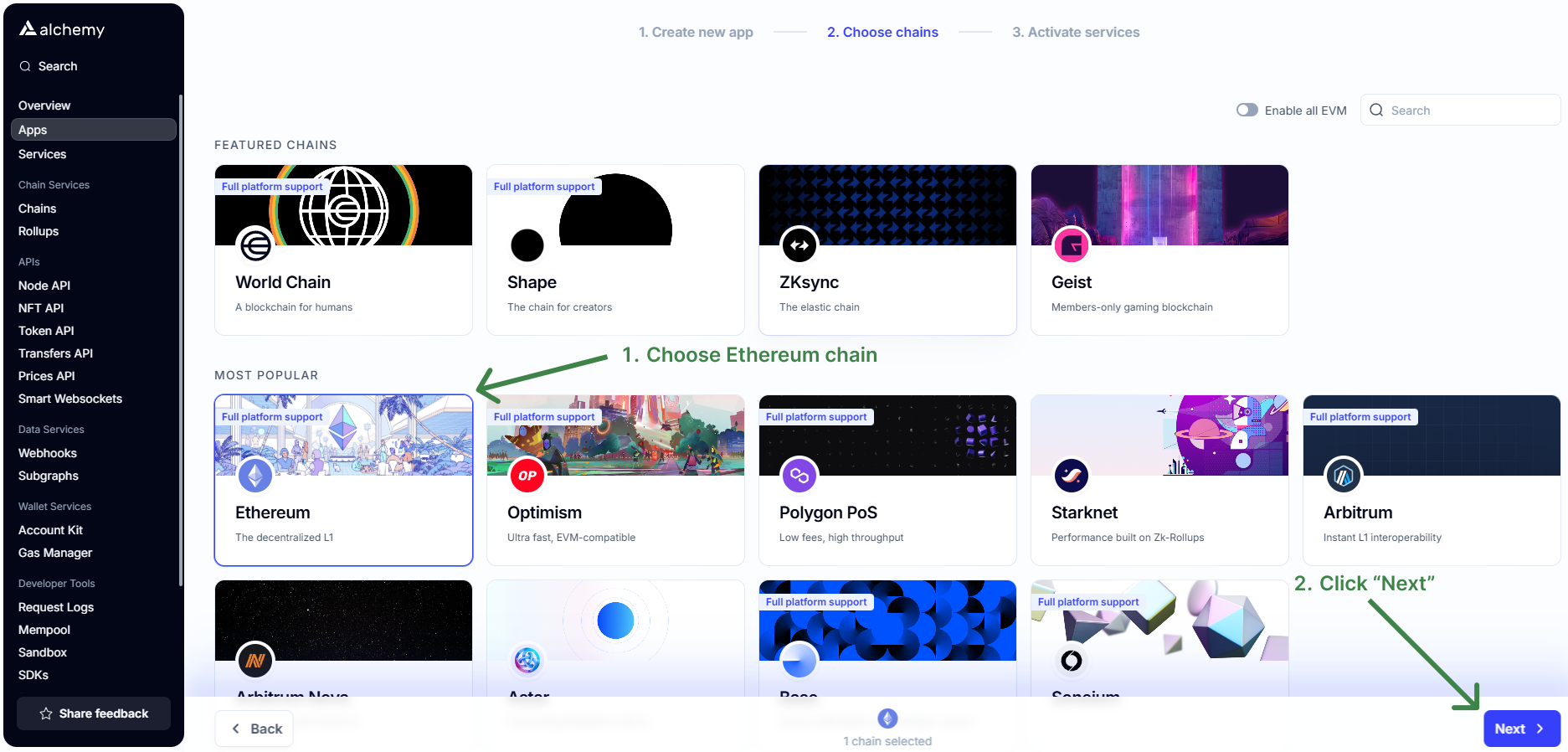
Keep the default service settings and click Create App.
Copy Your API Key
Locate your app in the dashboard and open its details.
Copy the displayed API Key for furute integration.

Your API Key is ready for use to interact with Ethereum Network.
After obtaining your API Key, you can use the following RPC endpoints to interact with Ethereum networks:
Mainnet (Ethereum main network):
https://eth-mainnet.g.alchemy.com/v2/<YOUR_API_KEY>Sepolia (Ethereum test network):
https://eth-sepolia.g.alchemy.com/v2/<YOUR_API_KEY>
Replace <YOUR_API_KEY> with the API key you copied from the Alchemy Dashboard.
These endpoints allow your application to interact with the Ethereum blockchain, send transactions, query data, and more.